
In Python, a boolean represents one of two values: True or False. These values are used to perform logical operations, control the flow of the program, and evaluate conditions. Boolean values are foundational in programming, especially when making decisions and controlling the flow of the program through conditional statements, loops, and logical expressions.
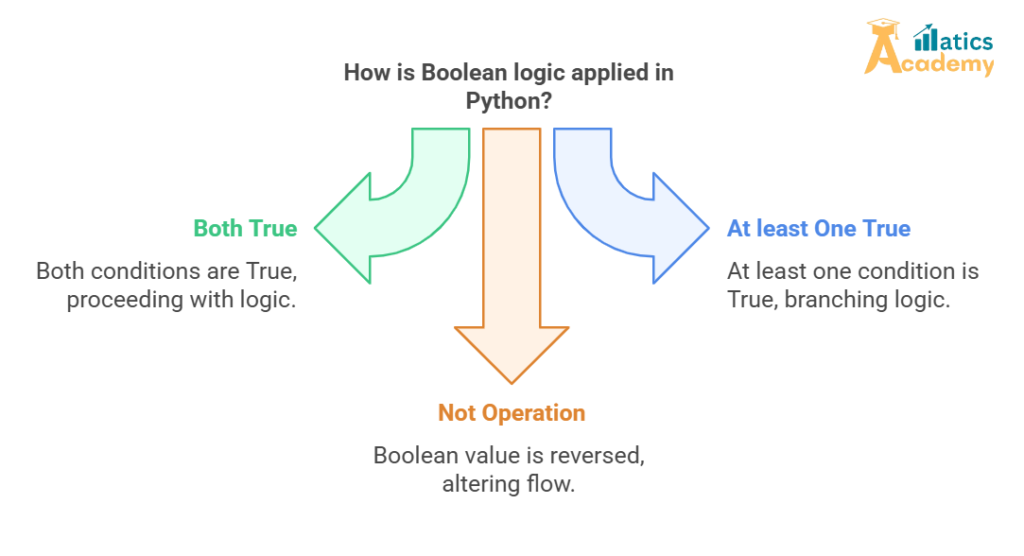
Table of Contents
- Introduction to Booleans in Python
- Boolean Values in Python
TrueFalse
- Boolean Operators in Python
andornot
- Using Booleans in Conditional Statements
- Truthy and Falsy Values
- Boolean Functions in Python
- Mini-Project: Boolean Expressions and Conditional Flow
- Interview Questions and Answers (Google, Amazon, TCS, Infosys, Zoho)
1. Introduction to Booleans in Python
In Python, the bool type represents boolean values. Booleans are the building blocks for decision-making and logical operations in code. They are used to represent truth values and are crucial for control flow, enabling your program to make decisions based on conditions.
Booleans are primarily used in:
- Conditionals: Evaluating conditions in
if,elif, andelsestatements. - Loops: Controlling the flow of
forandwhileloops. - Logical Operations: Combining conditions using
and,or, andnot.
2. Boolean Values in Python
Python has two built-in boolean values:
TrueFalse
These are reserved keywords in Python and are case-sensitive. Any other values, such as integers or strings, will be converted to booleans when used in a boolean context.
True
The boolean value True represents a truthy value, which means a condition or expression that evaluates to “yes.”
Example:
x = True
if x:
    print("x is True")
False
The boolean value False represents a falsy value, which means a condition or expression that evaluates to “no.”
Example:
y = False
if not y:
    print("y is False")
3. Boolean Operators in Python
Python provides several logical operators to work with booleans and evaluate boolean expressions.
and Operator
The and operator returns True if both operands are True, otherwise it returns False.
Example:
x = True
y = False
print(x and y)  # Output: False
In the above example, since y is False, the expression x and y evaluates to False.
or Operator
The or operator returns True if at least one of the operands is True. If both operands are False, it returns False.
Example:
x = True
y = False
print(x or y)  # Output: True
Here, since x is True, the expression x or y evaluates to True.
not Operator
The not operator inverts the truth value of a boolean expression. If the expression is True, it returns False, and if the expression is False, it returns True.
Example:
x = True
print(not x)  # Output: False
4. Using Booleans in Conditional Statements
Booleans are commonly used in conditional statements to control the flow of a program. For example, you can use boolean expressions to check conditions in if, elif, and else blocks.
Example:
x = 10
if x > 5:
    print("x is greater than 5")
else:
    print("x is less than or equal to 5")
In this example, the condition x > 5 evaluates to True, so the first block of code is executed.
5. Truthy and Falsy Values
In Python, certain values are considered truthy or falsy when evaluated in a boolean context, such as in conditional statements or loops.
- Truthy Values: Values that evaluate to
True, including non-zero numbers, non-empty strings, and non-empty containers (e.g., lists, tuples). - Falsy Values: Values that evaluate to
False, including0,None,False, empty strings, empty lists, and empty dictionaries.
Example:
x = 0  # Falsy value
if x:
    print("x is truthy")
else:
    print("x is falsy")  # Output: x is falsy
6. Boolean Functions in Python
Python has several built-in functions that return boolean values. These functions are useful for evaluating conditions and checking specific properties.
bool(): Converts a value to a boolean (TrueorFalse).isinstance(): Checks if an object is an instance of a specific class.
Example:
# Using bool() to convert a value to boolean
print(bool(1))  # Output: True
print(bool(0))  # Output: False

# Using isinstance() to check object type
x = 5
print(isinstance(x, int))  # Output: True
7. Mini-Project: Boolean Expressions and Conditional Flow
In this mini-project, we will create a program that uses boolean expressions and conditional statements to determine whether a number is even or odd.
def is_even_or_odd(number):
    """
    This function takes a number as input and checks whether it is even or odd.
    It returns 'Even' if the number is even, 'Odd' if the number is odd.
    """
    if number % 2 == 0:  # If the remainder of division by 2 is 0
        return "Even"
    else:
        return "Odd"  # If the remainder is 1, it's odd

# Test the function with different numbers
num = int(input("Enter a number: "))
result = is_even_or_odd(num)
print(f"The number {num} is {result}.")
Explanation:
- The function
is_even_or_odd()checks if the given number is divisible by 2. - It returns “Even” if the number is even, and “Odd” if the number is odd.
- The input is provided by the user, and the result is displayed using a
print()statement.
Interview Questions and Answers
Q: How does the bool() function work in Python?
A: The bool() function converts a given value into its corresponding boolean value. For instance, it returns True for non-zero numbers, non-empty strings, and non-empty collections, and False for None, 0, and empty collections.
Amazon
Q: Can you use boolean expressions directly in if statements?
A: Yes, you can directly use boolean expressions in if statements. The if statement evaluates the condition and executes the code block if the expression is True.
TCS
Q: What is the difference between True and False in Python?
A: True represents a condition that is logically correct or affirmative, while False represents a condition that is logically incorrect or negative.
Infosys
Q: How can you check if a value is truthy or falsy in Python?
A: You can evaluate any value in a boolean context, such as in an if statement or loop, to check if it is truthy or falsy. Non-zero numbers and non-empty objects are truthy, while zero, None, and empty objects are falsy.
Zoho
Q: Can you use True and False in Python expressions?
A: Yes, True and False can be used in expressions and can be combined with logical operators (and, or, not) to create complex boolean expressions.
Conclusion
Booleans are a fundamental aspect of Python programming, enabling you to perform logical operations, evaluate conditions, and control the flow of your program. By understanding boolean values, operators, and best practices for using them, you can write more efficient and readable Python code.